
A reference that names a version gets that version
A canonical reference without a version resolves to whatever is in scope, so as your dependencies change, the same reference can quietly start pointing at another definition. Pinning fixes that by writing the version into the reference: us-core-observation-lab|3.1.1. We explained the why when Simplifier added canonical pinning in release 2026.3.
Forge used to drop that version and take whichever copy it found. A package you pinned on Simplifier could open in Forge and resolve its references somewhere else. Now Forge honours the pin: the reference resolves to exactly that version, or Forge reports it as unresolved. It never quietly falls back to another version.
References without a version behave as before. They still find the FHIR core definitions and your own project files first, and otherwise the highest version your packages provide. When you pick a base profile or an extension, Forge shows the versions available and can write the pin for you. Read more about versions and version pinning.
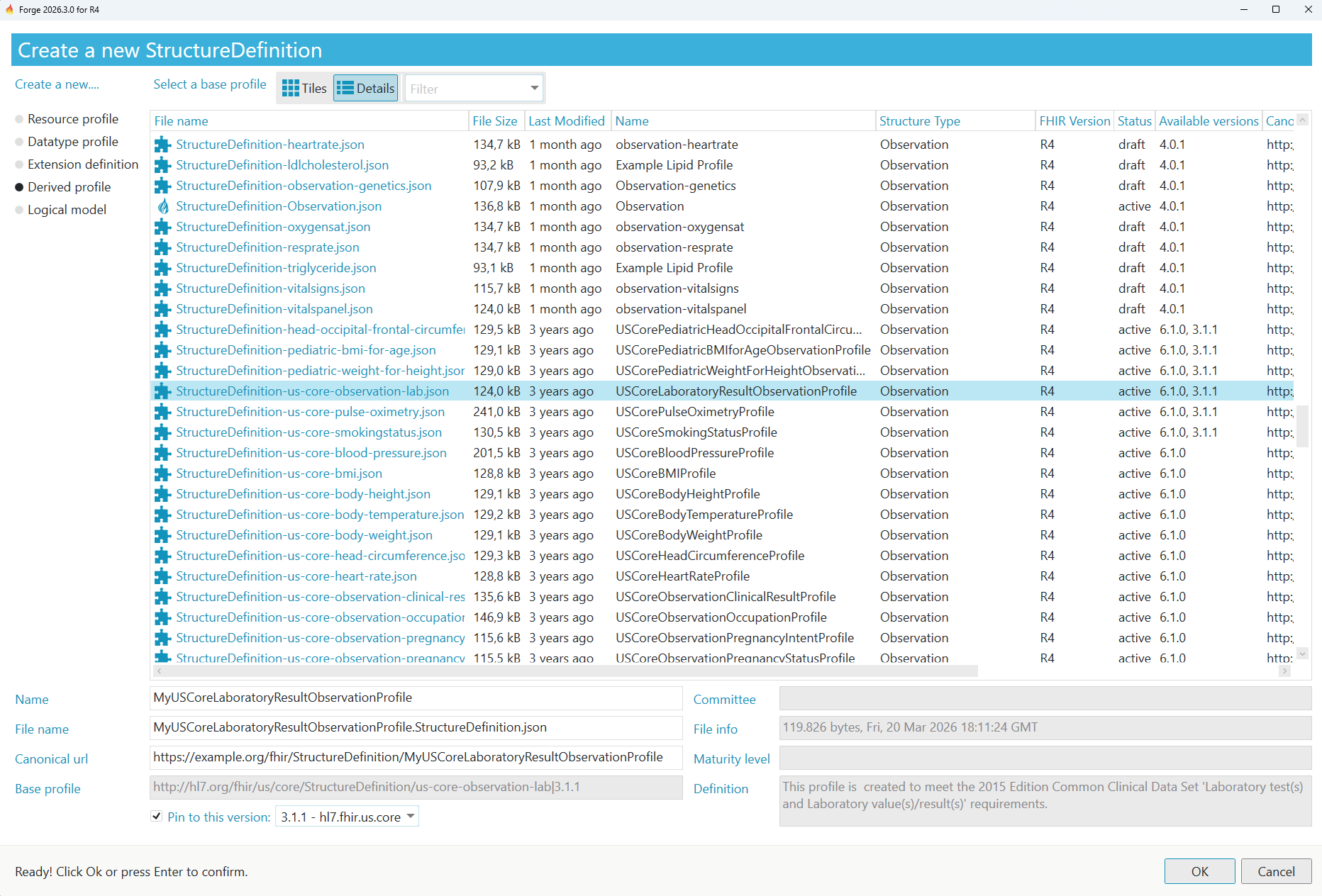
▲ The US Core lab result profile is available in 6.1.0 and 3.1.1: deriving from 3.1.1 writes that version into the base profile.
Two versions of one package, side by side
Pinning to an older version only helps if that version can stay in your project. Dependency trees rarely agree on versions: US Core 9.0.0 alone pulls in the HL7 extensions package at four versions, as we showed when Simplifier started keeping every version in scope in release 2026.5. Until now Forge kept one version of each package.
Forge now installs versions of the same package side by side, whether you add a second version yourself or a dependency brings one in. Your pinned references and your unpinned ones each find what they ask for, and the Dependencies tab shows which versions your project holds. Read more about managing package versions.
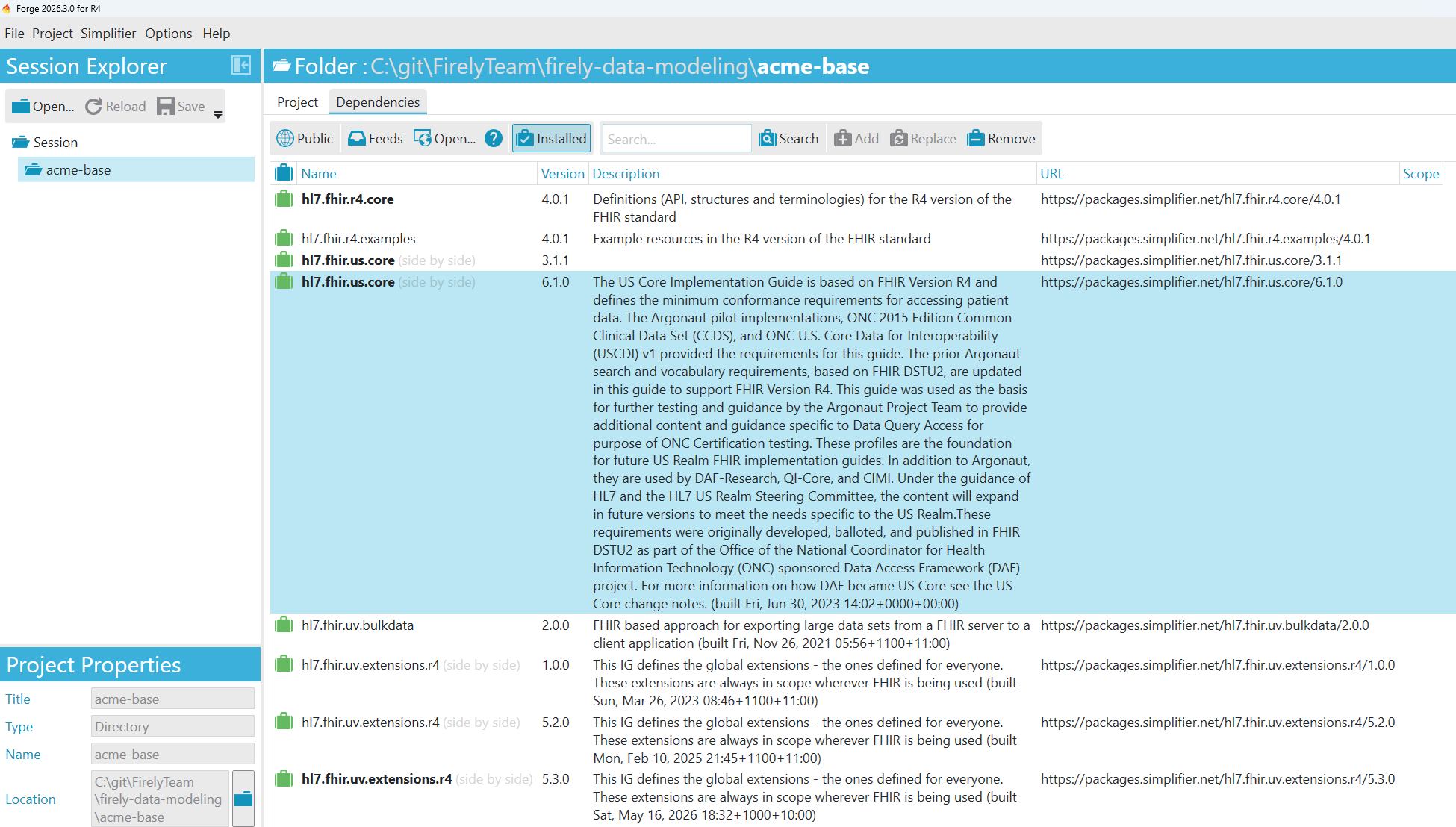
▲ US Core 3.1.1 and 6.1.0 side by side in one project, and the HL7 extensions package at three versions.
There is nothing to do for existing projects. The first time you open one, Forge restores its packages once, so it can record every version.
Quality Control closer to Simplifier
Quality Control now resolves references to other resources in your project, such as examples, as Simplifier does. Constraints that look at the referenced resource, for instance with resolve(), are now evaluated. Files that Quality Control cannot validate are reported instead of skipped silently.
Please note: Together with Firely .NET Validator 3.5.0, these changes mean the same project can show different findings than before. Run Quality Control after you update and review the results.
Other improvements
- Firely .NET SDK 6.6.0: Forge now runs on Firely .NET SDK 6.6.0 and Firely .NET Validator 3.5.0.
- Extensions for another FHIR version: the Add Extension dialog now shows extensions for another FHIR version with the reason they cannot be used, instead of hiding them.
- Accessibility: screen readers now announce meaningful names for tabs, list rows, element tree items and dialog buttons.
Find the release notes for Forge 2026.3.0 in the documentation. Forge will automatically prompt you to install the latest release, and for new users: this is where Forge can be downloaded from.
Share your feedback
If you have questions or ideas for future developments, do not hesitate to reach out to the Simplifier team. We'd love to hear your feedback.